AdThis guide contains affiliate links. If you buy through one, we may earn a commission. It never decides what we pick.
Calendar planning apps compared: Reclaim, Sunsama, Motion and Tiimo
Last checked 11 September 2026. Written by the Divergent Products team. How we pick.

What is the best calendar planning app?
The best calendar planning app depends on how much you want to decide yourself. Reclaim.ai has a free plan that fits tasks and breaks into Google or Outlook calendars automatically. Sunsama walks you through planning each day by hand, from $17 a month. Motion plans everything for you but has no free plan. Tiimo shows the day as visual blocks.
Our picks
-
Best for: Auto-scheduling tasks and breaks for free
Reclaim.ai
By Reclaim.ai
The free Lite plan connects two Google or Outlook calendars and schedules up to a week ahead, moving blocks when meetings shift. Todoist and Asana links need a paid plan, listed at $10 to $12 per seat a month.
$10a month, US priceSee it at Reclaim.aiAffiliate link -
Best for: A guided plan-the-day routine you control
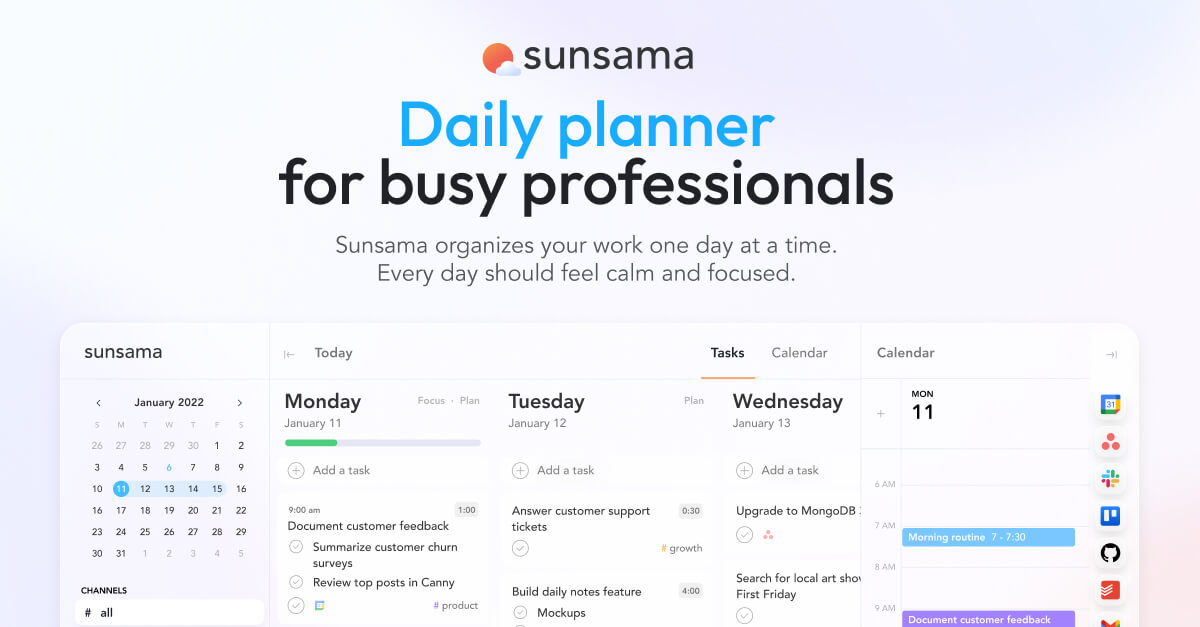
Sunsama
By Sunsama
Each morning you pull tasks into the day and it warns you when the list will not fit your hours. No free plan at all: $17 a month billed yearly or $22 monthly, after a 14-day trial with no card.
$20a month, US priceSee it at SunsamaAffiliate link -
Best for: Seeing the day as colours and icons
Tiimo
By Tiimo, sold by App Store
A visual planner built for neurodivergent people, with timers on each block. From about £6.49; the free version is on iPhone and Android only, and the trial comes only with a yearly plan.
from £6.49See it at App StoreAffiliate link -
Best for: A task list that shows beside your calendar
Todoist Pro
By Todoist (Doist), sold by Todoist
Shows Google or Outlook events next to tasks and syncs tasks onto your calendar, even on the free plan. Pro is about £6.99 a month. Calendar events are read-only inside Todoist.
£6.99a monthSee it at TodoistAffiliate link -
Best for: Time-blocking across Google, Outlook and iCloud calendars
Morgen
By Morgen
Pulls tasks from apps such as Todoist and Notion onto your calendar as blocks, with an AI planner to suggest the day. $15 a month billed yearly or $30 monthly, after a 14-day trial with no card; the only app here whose pricing page lists iCloud, with apps for Windows, Mac and Linux.
$15a month, US priceSee it at MorgenAffiliate link -
Best for: One inbox for tasks from all your apps
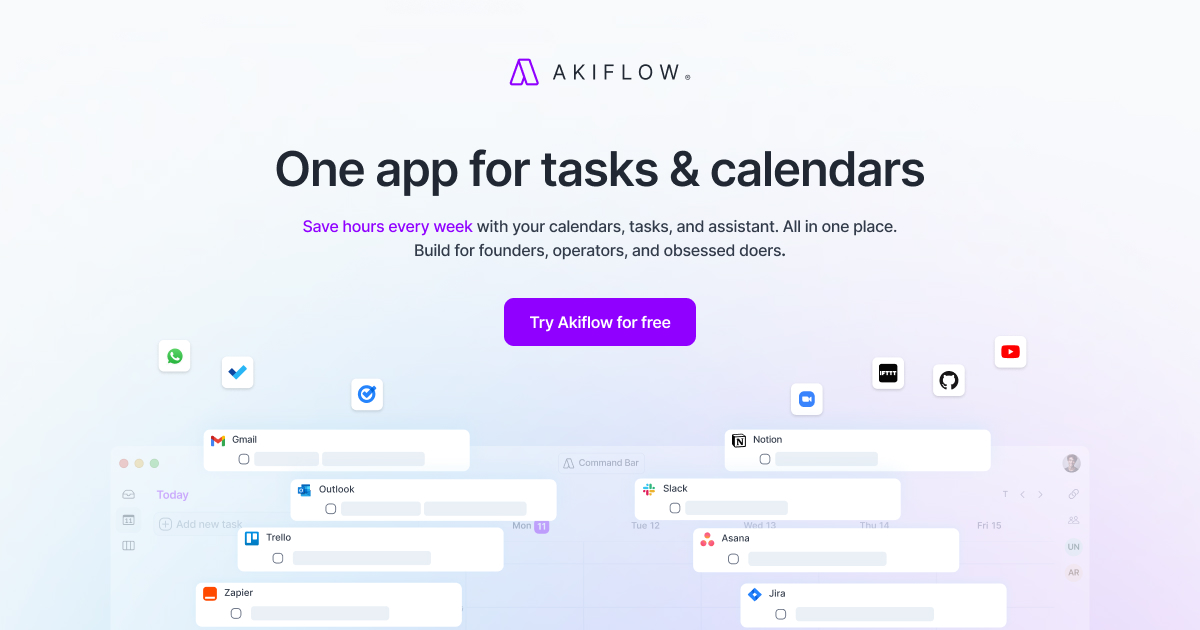
Akiflow
By Akiflow
Tasks from your other tools land in one list, and you drag them onto a Google or Outlook calendar as blocks. $19 a month billed yearly or $34 monthly, after a 7-day trial; there is no free plan.
$19a month, US priceSee it at AkiflowAffiliate link -
Best for: Letting the app plan the whole day
Motion
By Motion
Places tasks on your calendar automatically and reshuffles them when a meeting lands. No free plan: a free trial, then $19 per seat a month on monthly billing, with a monthly allowance of AI credits.
$19US priceSee it at MotionAffiliate link -
Best for: A paper week on the desk, no logins
Weekly Happenings Weekly Desk Planner
By Papier
A tear-off week-to-view pad at about £16. Nothing moves itself, which is the point for some people and the drawback for others.
Affiliate link





What should a calendar planning app do?
A calendar planning app should put your tasks into real time slots on the calendar you already use, so an empty afternoon does not look free when it is full of work nobody scheduled. Check these before you pick one.
- Which calendars it reads. Reclaim and Sunsama both list Google Calendar and Outlook. Neither pricing page lists Apple's iCloud calendar; Morgen's lists iCloud alongside both. If you use a work Outlook and a personal Google calendar, Reclaim's free plan connects two.
- How much it decides for you. Reclaim and Motion place tasks automatically and move them when a meeting lands. Sunsama asks you to drag tasks into the day yourself. Tiimo and Todoist leave the placing to you entirely.
- Free plan or trial. Reclaim and Todoist have free-forever plans. Tiimo has a free version on phones. Sunsama, Motion, Morgen and Akiflow are trial then paid.
- Monthly cost after the trial. Expect $17 to $22 a month for Sunsama and $19 a month for Motion on monthly billing. Tiimo starts at about £6.49 and Todoist Pro at about £6.99. Most are priced in US dollars, so the pound price shifts.
- Where your tasks live now. If you already keep tasks in Todoist, Asana or Notion, check the integration is on the plan you will pay for. On Reclaim, Todoist and Asana links need a paid plan.
- Platforms. Tiimo runs on iPhone, iPad, Apple Watch, Android, Mac and the web. If you plan on a Windows laptop, a web app matters more than a phone app; Morgen has desktop apps for Windows, Mac and Linux.
Reclaim vs Sunsama vs Motion vs Tiimo
| App | Free option | Paid price checked 11 Sep 2026 | Calendars | Plans for you? | Drawback |
|---|---|---|---|---|---|
| Reclaim.ai | Free Lite plan | $10 to $12 per seat a month | Google, Outlook | Yes, automatically | Free plan only looks a week ahead |
| Sunsama | 14-day trial, no card | $17 a month yearly, $22 monthly | Google, Outlook | No, guided by you | No free plan, ever |
| Motion | Free trial | $19 per seat a month, monthly | Check before buying | Yes, automatically | Priciest of the automatic ones; no free plan |
| Tiimo | Free on phone apps | From about £6.49 | Shows your calendar in a visual day | No, you arrange blocks | Trial only with a yearly plan |
| Todoist | Free Beginner plan | About £6.99 a month | Google, Outlook | No | A task list, not a planner |
| Morgen | 14-day trial, no card | $15 a month yearly, $30 monthly | Google, Outlook, iCloud | Suggests blocks with its AI planner | Monthly billing costs double |
| Akiflow | 7-day trial | $19 a month yearly, $34 monthly | Google, Outlook | No, you drag tasks in | Short trial, no free plan |
Automatic scheduling or planning it yourself?
Choose automatic if the hard part is finding time, and choose a guided planner if the hard part is deciding what matters today. They suit different problems.
Automatic (Reclaim, Motion). You tell the app a task takes two hours and is due Thursday. It finds a gap, books it, and moves it when someone drops a meeting on top. Reclaim does the same for habits such as lunch or a walk, so they appear as real blocks that other people see as busy. The risk is a calendar that fills itself to the edge. If you look at a packed week and freeze, auto-scheduling can make that week look worse, not better.
Guided (Sunsama). Every morning Sunsama asks what you want to do, pulls in tasks from tools such as Todoist, Asana, Trello or Notion, and warns you when the list is longer than the hours you have. Nothing moves unless you move it. It depends on you doing the routine, and it costs money from day 15.
Visual (Tiimo). Tiimo shows the day as coloured blocks with icons and a timer on each, so you can see how long is left in what you are doing and what comes next. It is made by a Danish company for neurodivergent people and is the only app here designed with that in mind. It does not rearrange things for you.
List plus calendar (Todoist). If a separate planner feels like one more app to forget, Todoist can show your Google or Outlook events next to your tasks on every plan, and put tasks onto your calendar. Events stay read-only in Todoist.
If money is tight
Start free and only pay once you have used something for two weeks.
- Reclaim Lite is the most capable free option: auto-scheduling, habits, two calendars, one scheduling link.
- Todoist Beginner is free with five personal projects, reminders and the calendar view.
- Tiimo's free version runs on iPhone and Android.
- Paper costs nothing to switch off. A desk pad like the Papier week-to-view at about £16 never asks you to log in.
Pay annually only after the monthly trial has survived a bad week. Morgen and Sunsama both halve or cut the price for yearly billing, which is money lost if you stop using it in March.
Things to know
- We have not tested these apps. Prices, limits and features are from the makers' own pricing and help pages on 11 September 2026. Reclaim showed a new-user discount banner on the day we checked, so the price you see may differ.
- Dollar pricing. Reclaim, Sunsama, Motion, Morgen and Akiflow list prices in US dollars. Your bank may add a foreign transaction fee.
- Motion's credits. Motion's plans include a monthly allowance of AI credits (7,500 per seat on Pro AI), with extra credits charged on top. Check what uses them before relying on it.
- Work calendars. Connecting a work calendar to an outside app may need IT approval. Some employers block it outright, so ask before you connect and find your calendar disconnected a week later.
- Other people see your blocks. Auto-scheduled tasks and habits show as busy time. That is useful for protecting time, but name blocks with care if colleagues can see the titles.
Questions people ask
- Is Reclaim.ai free?
- Yes, Reclaim's Lite plan is free forever. It connects two calendars, schedules a week ahead and includes one scheduling link; paid plans add Todoist, Asana, ClickUp, Jira and Linear.
- Does Motion have a free plan?
- No. Motion offers a free trial, then Pro AI is $19 per seat a month on monthly billing, with a saving of up to 33% if you pay annually.
- Do these apps work with Apple Calendar?
- The Reclaim and Sunsama pricing pages list Google Calendar and Outlook only, while Morgen's lists iCloud as well. If your life is in iCloud, check with the maker before paying, or use Morgen, Tiimo or Todoist.
- Can I use Tiimo on a computer?
- Yes, Tiimo runs on Mac and in any web browser as well as iPhone, iPad, Apple Watch and Android. The free version is on the phone apps only, not the web app.
- Is Sunsama worth it without a free plan?
- Only if you will actually do its morning planning routine. Use the 14-day trial, which needs no card, and cancel if you skip the ritual more than you do it.