AdThis guide contains affiliate links. If you buy through one, we may earn a commission. It never decides what we pick.
Cleaning apps and routines for ADHD homes: Sweepy, Todoist and Goblin Tools
Last checked 11 September 2026. Written by the Divergent Products team. How we pick.
What's the best cleaning app for an ADHD home?
The best cleaning app for an ADHD home is one that shows only today's small jobs. Sweepy (free, optional Premium) splits the house into room by room tasks with points. Todoist Pro (about £6.99 a month) handles repeating reminders, and Goblin Tools' Magic ToDo (free) breaks 'clean the kitchen' into steps small enough to start.
Our picks
-
Best for: Seeing today's cleaning jobs, room by room
Sweepy: Home Cleaning Schedule
By Sweepy, sold by App Store
Builds a daily list from your rooms, with points and a leaderboard if you share it with a household. Free; Premium is £3.49 a month or £16.99 a year on the UK App Store, and we could only confirm an iPhone version.
Affiliate link -
Best for: Repeating chores alongside everything else
Todoist Pro
By Todoist (Doist), sold by Todoist
Type 'bins Thursday 8pm' and it sets the reminder, and big jobs split into sub-tasks. About £6.99 a month; it is a general to-do app, so cleaning shares a list with work and life admin.
£6.99a monthSee it at TodoistAffiliate link -
Best for: Jobs too big to start
Goblin Tools (Magic ToDo)
By Goblin Tools, sold by goblin.tools
Paste in 'sort out the kitchen' and Magic ToDo breaks it into small steps. Free; the steps can be generic, so edit them to fit your actual kitchen.
Affiliate link -
Best for: Ten-minute tidy bursts you can see
Time Timer Original 8" Visual Timer
By Time Timer, sold by Amazon
A red disc shrinks as time passes, so you can see how long is left without picking up your phone. Usually under £40; a phone timer is free if the phone will not pull you elsewhere.
See priceat AmazonSee it at AmazonAffiliate link -
Best for: Scrubbing the bath without kneeling
Aztarr Cordless Electric Spin Scrubber, 5 Heads
By Aztarr, sold by Amazon
A cordless spinning brush with five heads and an extendable handle, so scrubbing means less bending. Usually under £20; charge it the night before, or the job waits for the battery.
See priceat AmazonSee it at AmazonAffiliate link -
Best for: Cleaning without the shame
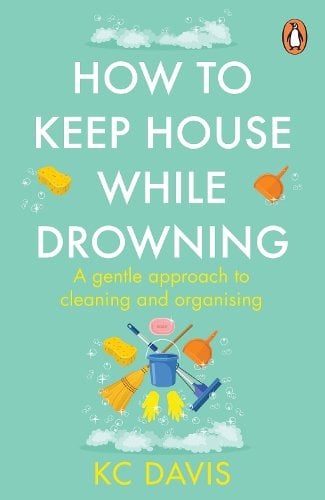
How to Keep House While Drowning
By KC Davis, sold by Bookshop.org
KC Davis on care tasks as morally neutral and good enough counting. About £9.49, short, and the ideas work with or without any app.
Affiliate link


The NHS lists finding it hard to organise your time, and finding it hard to follow instructions or finish tasks, among the signs of ADHD in adults. A cleaning app cannot change how your brain works. What it can do is make one decision for you every day: what to clean now, and when to stop.
What makes a cleaning app work for an ADHD home?
A good cleaning app shows you a short list for today and hides everything else. The whole house at once is a wall; five small jobs is a morning.
Look for these:
- A today view. The app should open on today's jobs, not a full list of every room. Sweepy builds a daily schedule from your rooms and tasks.
- Tasks measured in minutes. "Wipe the hob" is a task. "Kitchen" is a project. If the app lets you split jobs, split them until each one takes under ten minutes.
- Repeats that reset quietly. Chores come back on their own: bins weekly, bathroom every few days. You want the app to schedule the next one without piling up missed ones as overdue.
- Reminders you will see. A notification at a time you are usually at home, not at 7am when you are on the school run.
- Sharing. If you live with others, one list everyone can see stops you being the household's memory. Sweepy lets you add household members and assign tasks.
- Low set-up. An app that takes an hour to configure will not get configured. Start with three rooms and add the rest later.
- Honest pricing. Free, one-off or subscription. Subscriptions are fine if you use them; set a reminder to review any trial before it renews.
How the cleaning apps compare
| App or tool | Price | What it does | Best for | Drawback |
|---|---|---|---|---|
| Sweepy | free; Premium £3.49 a month or £16.99 a year | Room by room cleaning schedule with points | Cleaning only, households | iPhone version confirmed; Android not |
| Todoist Pro | about £6.99 a month | To-do list with repeating tasks and sub-tasks | People already living in a to-do app | Not built for cleaning |
| Goblin Tools Magic ToDo | free | Breaks one big job into small steps | Getting started on a big job | Steps are generic until you edit them |
| Paper list on the fridge | pennies | Five jobs for today, crossed off | Anyone tired of apps | No reminders |
Sweepy scored 4.7 out of 5 from about 1,900 ratings on the UK App Store when we checked. Ratings tell you people like it, not that it will suit you.
Sweepy or Todoist?
Pick Sweepy if cleaning is the only thing you want to track, and Todoist if you already run your life from a to-do app. Sweepy is built around rooms and how often each job needs doing, with points for finishing. Todoist is a general list: brilliant at "bins Thursday 8pm" and repeating reminders, but you build the cleaning structure yourself. Running both is overkill for most homes.
If neither sticks, Goblin Tools is the free fallback for the moment a job feels too big. Type in the job, get the steps, do the first one.
A cleaning routine that works without an app
The simplest routine is ten minutes, one room, with a timer you can see. When the timer ends, you stop, even mid-task. Stopping on time is what makes starting tomorrow possible.
The daily ten. Set a visual timer such as the Time Timer for ten minutes. Pick the room that bothers you most. Do the most visible thing first: clear the worktop, not the grout.
Sort mess into kinds. Most mess is one of a few things: rubbish, dishes, laundry, things that have a home, and things that do not. Deal with one kind at a time. Rubbish first is the quickest visible win.
A nightly reset. Three things before bed: dishes in the sink or dishwasher, the main surface clear, the bin by the door if it is full. Tomorrow starts from a slightly better place.
One bigger job a day. Monday bathroom, Tuesday hoovering, Wednesday bedding, and so on. You only need to remember what day it is.
Do it with someone. Clean while on the phone to a friend who is also cleaning. Having someone else there, even on a call, makes a start easier for a lot of people.
If you keep abandoning apps
Abandoning apps is common, and it does not mean you have failed at cleaning. Many people find an app works for a few weeks, then the notifications fade into the background. Two things help. Switch between an app and paper every month or so, so the system stays new enough to notice. Or turn off every notification except one, at the time you are most likely to act.
If points and streaks start to feel like a telling-off, switch them off. The point of the app is a cleaner kitchen, not a perfect score.
Things to know
- We have not tested these apps. Prices and features come from the UK App Store listing and product pages, checked on 11 September 2026. App prices change often.
- Subscriptions renew. Note the renewal date of any trial the day you start it.
- Notifications can pile up. Three apps nagging about three different things quickly become one noise you ignore. Pick one app for chores.
- Scrubbers and cleaning products. Use the product meant for the surface you are cleaning, and follow the label on the bottle.
- Good enough counts. A wiped hob and an empty sink on a hard day are a win. KC Davis makes the full case in How to Keep House While Drowning.
Questions people ask
- Is Sweepy free?
- Yes, the core app is free. Sweepy Premium is £3.49 a month or £16.99 a year on the UK App Store at the time of writing.
- Does Sweepy work on Android?
- We checked the UK App Store listing and could not confirm an Android version, so search Google Play before you plan around it.
- Can a whole household share a cleaning app?
- Sweepy lets you add household members, assign tasks and see a leaderboard. It works best when everyone agrees to use it, not when one person tracks everyone else.
- How long should a daily cleaning routine take?
- As long as you can do without dreading it. Ten minutes is a sensible start because it is short enough to begin on a bad day.
- What if I miss a few days?
- Skip the backlog and do what is due today. A list that starts fresh each morning is kinder than one that shows every missed task in red.