AdThis guide contains affiliate links. If you buy through one, we may earn a commission. It never decides what we pick.
E-readers for dyslexia: OpenDyslexic, spacing and which Kindle to buy
Last checked 11 September 2026. Written by the Divergent Products team. How we pick.

Which e-reader is best for dyslexia?
Among e-readers for dyslexia, the Kindle Paperwhite (under £200) is the safest all-rounder: you can switch Kindle books to the OpenDyslexic font and change size, line spacing and margins on a glare-free 7-inch screen. The Kindle Scribe (under £500) adds a pen for notes. Kobo e-readers also offer OpenDyslexic. Everand mixes ebooks with audiobooks.
Our picks
-
Best for: Everyday reading with fonts you control
Kindle Paperwhite (16 GB, newest generation)
By Amazon, sold by Amazon
OpenDyslexic, adjustable size, spacing and margins, a 7-inch 300ppi screen with warm light, and Bluetooth for audiobooks. The listing we link is the version with lockscreen ads.
See priceat AmazonSee it at AmazonAffiliate link -
Best for: Study, where you want to write notes
Kindle Scribe (10.2-inch, 16 GB)
By Amazon, sold by Amazon
A 10.2-inch screen and a pen in the box, so you can write in books and documents. Amazon has since launched an 11-inch range under £500, so check you are buying the model you mean.
See priceat AmazonSee it at AmazonAffiliate link -
Best for: The current large Scribe, for notes
Kindle Scribe Without Front Light (11-inch, 16 GB, 2025)
By Amazon, sold by Amazon
The 2025 Scribe with an 11-inch screen and a pen, under £500 for this 16GB version without a front light. With no light you need a lit room; Amazon's front-lit versions start at under £500.
See priceat AmazonSee it at AmazonAffiliate link -
Best for: Reading outside Amazon's store
Kobo Clara BW
By Rakuten Kobo, sold by Rakuten Kobo
Kobo's e-readers offer the OpenDyslexic font, and your books come from Rakuten Kobo's store instead of Amazon's. About £149.99; Kobo says OpenDyslexic does not work with PDFs.
£149.99See it at Rakuten KoboAffiliate link -
Best for: Switching between reading and listening
Everand
By Everand (Scribd), sold by Everand
Ebooks, audiobooks and podcasts in one app, from £10.99 a month with a 30-day trial. Outside its unlimited catalogue you get a set number of titles a month.
£10.99a monthSee it at EverandAffiliate link -
Best for: Listening when reading is hard going
Audible Premium membership
By Audible, sold by Audible
£8.99 a month for one audiobook credit plus the Plus Catalogue to stream, after a 30-day trial. Audio only, no ebooks.
£8.99a monthSee it at AudibleAffiliate link -
Best for: Set texts on paper
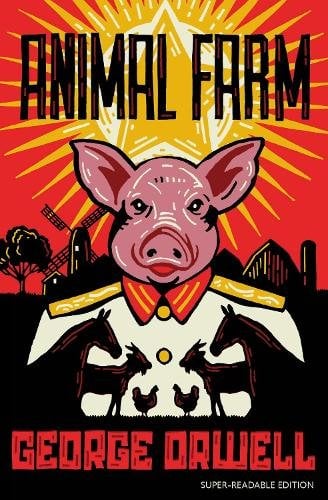
Animal Farm (Barrington Stoke Edition)
By George Orwell (Barrington Stoke), sold by Bookshop.org
Orwell's Animal Farm in a dyslexia-friendly edition from Barrington Stoke, about £8.99. One title, but a useful option for GCSE set texts.
Affiliate link


Paper books give you one font, one size and one spacing, chosen by someone else. An e-reader hands those choices back. That is the whole case for one if reading print is hard work, and it is why the settings matter more than the brand.
What makes an e-reader good for dyslexia?
Control over how the words sit on the page: the font, the size, the space between lines and around the edges, on a screen without glare.
- Font choice, including OpenDyslexic. Kindle e-readers and Kobo e-readers both offer the OpenDyslexic font. On a Kindle, it is in the Aa reading settings menu.
- Size, line spacing and margins. On a Kindle these sit in the same Aa menu, each on its own tab. Kindle for Web offers 14 text sizes and four page colours, per Amazon.
- The screen. The current Paperwhite has a 7-inch E Ink screen at 300ppi with adjustable warm light. The earlier Kindle Scribe has a 10.2-inch screen at 300ppi, and the 2025 Scribe an 11-inch one, so more words fit at a large size.
- Audio. The Paperwhite has Bluetooth for audiobooks and the VoiceView screen reader.
- Toughness and battery. IPX8 waterproofing and up to 12 weeks of battery on the Paperwhite, per the published specs. One less thing to remember to charge.
- What the settings will not touch. PDFs are fixed pages. Kobo says OpenDyslexic does not work with PDFs and may not work in some ebooks.
| Product | Price | Screen | Reading controls | Best for | Drawback |
|---|---|---|---|---|---|
| Kindle Paperwhite 16GB | Usually under £200 | 7-inch, 300ppi, warm light | OpenDyslexic, size, spacing, margins; Bluetooth audio | Everyday reading | Linked version shows lockscreen ads |
| Kindle Scribe 16GB | Usually under £500 | 10.2-inch, 300ppi, pen included | As above, plus handwritten notes | Study and annotating | Older model; newer 11-inch range out |
| Kindle Scribe 11-inch, no front light | Usually under £500 | 11-inch, pen included, no front light | As above, plus handwritten notes | The current Scribe for less | Needs good room light |
| Kobo Clara BW | about £149.99 | Black-and-white E Ink | OpenDyslexic and Kobo's reading settings | Buying books outside Amazon | OpenDyslexic will not work on PDFs |
| Everand | from £10.99 a month | Phone or tablet app | Ebooks and audiobooks in one place | Mixing reading and listening | Title limits outside the unlimited catalogue |
| Audible Premium | £8.99 a month | Phone app | One credit a month plus Plus Catalogue | Listening | Audio only |
| Animal Farm, Barrington Stoke edition | about £8.99 | Paper | Dyslexia-friendly edition | GCSE set text | One book |
Kindle or Kobo for dyslexia?
Both offer OpenDyslexic, so choose by where you buy your books.
A Kindle ties you to Amazon's store, which has the biggest range and frequent ebook deals. A Kobo ties you to Rakuten Kobo's store. The reading controls that matter here, font, size and spacing, exist on both. Kobo is open about the limits of its dyslexia font: its help page says it may not work in some ebooks or languages and does not work with PDFs.
If you already buy ebooks from Kobo, or you want to avoid Amazon, the Kobo Clara BW (about £149.99 from Rakuten Kobo UK) is the Kobo on our shelf.
Can you read and listen at the same time?
Yes: the simplest way is an app that holds both the ebook and the audiobook, and the Kindle's own screen reader can read compatible books aloud.
Everand puts ebooks, audiobooks and podcasts in one app, from £10.99 a month (Standard) to £14.99 (Plus) and £24.99 (Deluxe), with a 30-day free trial. Each plan includes an unlimited catalogue of more than 20,000 titles plus a set number of other titles a month, which rises with the tier.
Audible Premium is £8.99 a month after a 30-day trial, with one audiobook credit a month and the Plus Catalogue to stream. There is also a Standard plan at £5.99 with one audiobook a month and no Plus Catalogue.
On the Kindle itself, VoiceView reads compatible books aloud over Bluetooth. Amazon designed it for blind and visually impaired readers, so the controls are built around gestures, and it will not play audiobook files.
Does the OpenDyslexic font make a difference?
For some readers yes, for others no; we found no UK guidance we could check that recommends one font for everyone, so it is one setting to try among several.
The useful test costs nothing. Read a chapter in Bookerly, one in Amazon Ember and one in OpenDyslexic, at the same size. Then try each again with the line spacing turned up a notch. Whatever you reach for without thinking on day three is your answer.
Size and spacing often matter as much as the typeface. A large size on a small screen means turning pages constantly, which is where the Scribe's bigger screen earns its price for some people.
Things to know
- Ads. The Paperwhite listing we link is the version with ads on the lock screen. A version without ads costs more.
- Which Scribe. We list two: the earlier 10.2-inch Kindle Scribe at under £500, and the new 11-inch model without a front light at under £500. Amazon's front-lit 11-inch versions start at under £500, and Colorsoft at under £750.
- Trials renew. Everand and Audible both start with 30 days free and then charge monthly. Put a reminder in your phone the day you sign up.
- Dyslexia-friendly editions are on paper too. Barrington Stoke publishes dyslexia-friendly editions, including Animal Farm, which help when a set text has to be the book in your hand.
- We have not tested these devices. Specs come from Amazon, Kobo and published spec summaries, checked on 11 Sep 2026.
Questions people ask
- How do I get the dyslexia font on a Kindle?
- Open a book, tap the top of the screen, tap Aa and choose OpenDyslexic from the font options. Size, line spacing and margins are in the same Aa menu, on their own tabs.
- Does OpenDyslexic work on PDFs?
- Kobo says its OpenDyslexic font does not work with PDFs and may not work in some ebooks or languages. PDFs are fixed pages, so expect font changes not to apply on a Kindle either.
- Is the Kindle Paperwhite waterproof?
- The current Paperwhite is rated IPX8, tested to withstand immersion in 2 metres of fresh water for 60 minutes.
- Can a Kindle read books aloud?
- Compatible Kindle books can be read aloud by VoiceView, Amazon's screen reader, over Bluetooth headphones or a speaker. It is designed for blind and visually impaired readers and does not play audiobook files.
- How long does a Kindle Paperwhite battery last?
- Up to 12 weeks, based on the maker's usage estimate. Heavy use with the light turned up will be shorter.
Sources
- Amazon UK: Customise your Kindle e-reader text display
- Amazon: Customise Kindle for Web
- Rakuten Kobo: Use the OpenDyslexic font on your Kobo eReader
- Amazon UK: Kindle Paperwhite 16GB listing
- The eBook Reader: 12th gen Kindle Paperwhite specs
- Amazon: Kindle Scribe (10.2-inch) listing
- About Amazon UK: New Kindle Scribe UK line-up
- Amazon UK: Kindle Scribe Without Front Light 16 GB listing
- Rakuten Kobo UK: Kobo Clara BW
- Amazon: Use VoiceView over Bluetooth on Kindle
- Everand
- Audible UK: Membership